
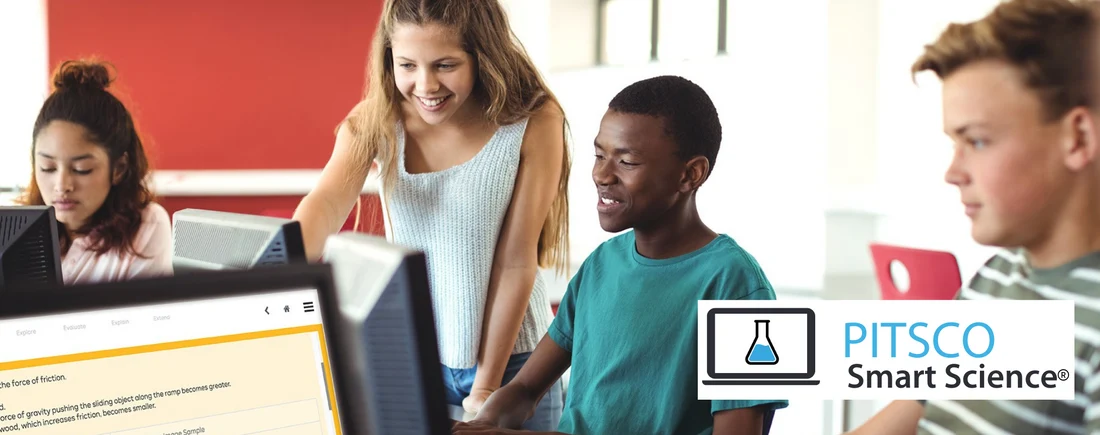
Technology has become an important part of modern education, giving teachers new ways to explain concepts, engage students, provide feedback, and support different learning needs. From interactive presentations and educational videos to digital assessments and collaborative projects, classroom technology can create valuable learning opportunities when it is used with a clear purpose.
However, using more technology does not automatically lead to better learning. Digital tools are most effective when they help students understand difficult concepts, practise important skills, collaborate meaningfully, or receive timely feedback. Without thoughtful planning, technology can also create distractions, increase teachers’ workloads, and widen inequalities between students who have different levels of access to devices and the internet.
Successful technology integration in the classroom starts with learning objectives rather than devices. Teachers should first identify what students need to learn and then decide whether a digital tool can improve the learning experience.
This guide explains how teachers can use technology effectively, choose suitable educational tools, overcome common challenges, and evaluate whether digital activities are improving student learning.
What Is Technology Integration in the Classroom?
Technology integration in the classroom means using digital tools and resources purposefully to support teaching, learning, assessment, communication, and student development.
It can include computers, tablets, interactive displays, educational software, online learning platforms, digital textbooks, simulations, assistive technology, and carefully selected artificial intelligence tools.
Effective integration is not simply replacing every printed worksheet with a digital version. Instead, teachers choose technology when it provides a meaningful advantage, such as allowing students to visualize a complex scientific process, practise mathematics with immediate feedback, or collaborate on a shared research project.
For example, a teacher explaining the water cycle might use an interactive animation to show evaporation, condensation, and precipitation. Students could then label a diagram, explain the process in their own words, and complete a short assessment to demonstrate understanding.
In this example, the technology supports a specific learning objective. It does not replace explanation, discussion, or student thinking.
Why Is Technology Important in Modern Classrooms?
When selected and implemented thoughtfully, educational technology can support several aspects of teaching and learning.
1. Makes Complex Concepts Easier to Understand
Some concepts are difficult to explain through spoken instruction or static images alone. Digital models, animations, simulations, and interactive diagrams can help students visualize processes that are abstract, invisible, or difficult to observe directly.
For example, students studying astronomy can explore the relative positions of planets, while science students can examine a simulation of how particles behave under different conditions.
Teachers should still explain the underlying concepts and check for understanding. An attractive animation may capture attention without necessarily helping students learn the intended idea.
2. Increases Opportunities for Active Learning
Technology can give students opportunities to answer questions, manipulate models, create presentations, conduct research, and solve problems.
Instead of only watching a presentation, students might use a digital timeline to organize historical events or work together to create a multimedia explanation of a scientific concept.
Active participation is most useful when students must think, make decisions, explain their reasoning, or apply what they have learned.
3. Provides Timely Feedback
Digital quizzes and formative assessment tools can show students whether their answers are correct and help teachers identify misunderstandings.
For example, a short online mathematics quiz may reveal that several students are confusing fractions with different denominators. The teacher can then revisit the concept before moving to more advanced material.
Feedback should explain errors and guide improvement wherever possible. A score alone may not tell a student how to correct a misunderstanding.
4. Supports Different Learning Needs
Students do not all learn at the same pace or in the same way. Digital tools can provide options such as adjustable text sizes, captions, audio support, translation assistance, screen readers, and additional practice.
These features can improve access for students with disabilities, language-learning needs, or different levels of prior knowledge.
Technology should be selected according to individual needs rather than assuming that every student benefits from the same digital format.
5. Encourages Collaboration and Communication
Shared documents, discussion platforms, and collaborative presentations allow students to work together even when they are not using the same device at the same time.
For example, groups can research a topic, record their findings in a shared document, review one another’s work, and prepare a joint presentation.
Teachers should establish clear expectations for participation, respectful communication, source evaluation, and appropriate online behaviour.
6. Helps Teachers Monitor Student Progress
Digital assessment records can help teachers identify patterns in student performance and decide which concepts need further explanation.
However, teachers should interpret digital data carefully. A wrong answer may reflect a misunderstanding, a reading difficulty, a technical problem, or a misinterpreted question. Assessment results should be considered alongside classroom observation, student explanations, and other evidence of learning.
10 Effective Ways to Use Technology in the Classroom
The following strategies can help teachers integrate technology into everyday instruction without allowing digital tools to overshadow learning objectives.
1. Start With Clear Learning Objectives
Before selecting a device or application, determine what students should know or be able to do by the end of the lesson.
Ask yourself:
- What concept or skill will students learn?
- What difficulty might students experience?
- How will the technology help address that difficulty?
- What evidence will show whether students have learned?
- Could a non-digital method achieve the same result more effectively?
For example, if students need to practise mental arithmetic, a digital quiz may provide useful repetition and immediate feedback. If they need to develop handwriting skills, a paper-based activity may be more appropriate.
The goal is to choose the method that best supports the learning objective.
2. Use Interactive Presentations Thoughtfully
Interactive presentations can combine text, diagrams, images, short videos, and questions. They can help teachers explain a concept in manageable stages while giving students opportunities to respond.
To make presentations effective:
- Focus each slide on one main idea.
- Use diagrams and images that directly support the lesson.
- Keep text concise and readable.
- Include questions that require students to think.
- Pause regularly for discussion or practice.
- Avoid excessive animation and decorative effects.
For example, during a geography lesson, a teacher might present a map, ask students to predict how a river affects settlement patterns, and then reveal additional information for discussion.
A presentation should guide learning rather than encourage students to passively watch the screen.
3. Incorporate Educational Videos and Animations
Videos can introduce a topic, demonstrate a process, or show something students cannot easily observe in the classroom.
A teacher might use a short video to demonstrate a laboratory procedure or show how a historical structure was constructed.
Before showing a video, identify its purpose and decide what students should notice. Consider providing one or two guiding questions, pausing at important moments, and asking students to summarize the main idea afterward.
Choose reliable, age-appropriate material. Check the content in advance, including advertisements, captions, audio quality, and any distracting elements.
Long videos should not replace an entire lesson when students would benefit more from discussion, guided practice, or hands-on activities.
4. Use Digital Quizzes for Formative Assessment
Short digital quizzes can help teachers check understanding during or after a lesson.
For example, after teaching fractions, a teacher could ask students to compare two fractions and explain their reasoning. The responses can help identify whether students are ready to move forward or need further instruction.
Effective digital assessment practices include:
- Using questions aligned with the learning objective.
- Including a mixture of recall and reasoning questions.
- Reviewing incorrect answers with the class.
- Providing additional practice when needed.
- Avoiding unnecessary competition based only on speed.
- Offering an accessible alternative when students cannot use the required device.
Teachers should use quiz results to guide instruction, not simply to generate scores.
5. Encourage Collaborative Digital Projects
Collaborative projects can help students develop research, writing, communication, and teamwork skills.
Students might create a shared presentation about an environmental issue, prepare a digital timeline of historical events, or produce a short explanatory video for a science lesson.
To make collaboration successful:
- Define the learning objective and final product.
- Divide the project into manageable stages.
- Assign clear responsibilities.
- Set expectations for respectful communication.
- Require students to identify their sources.
- Include individual reflection or assessment.
Shared documents can make contributions easier to monitor, but teachers should ensure that all students participate rather than allowing one student to complete the entire project.
6. Use Learning Platforms to Organize Coursework
A learning management system or digital classroom platform can help teachers organize assignments, share resources, communicate instructions, and provide feedback.
A well-organized digital classroom should make it easy for students to find:
- Lesson materials
- Assignment instructions
- Submission deadlines
- Assessment criteria
- Feedback and grades
- Revision resources
Use consistent naming conventions and avoid creating unnecessary folders or duplicate copies of the same material.
Teachers should also explain how students can access assignments when their internet connection is unreliable or they cannot use a personal device.
7. Provide Differentiated Practice
Technology can help teachers provide different levels of practice while maintaining shared learning objectives.
For example, in a mathematics lesson, some students may need additional examples of equivalent fractions, while others are ready to solve more complex problems. A digital platform may allow students to practise at an appropriate level.
Teachers can also provide different ways for students to access information, such as text, audio, diagrams, or captions.
Differentiation should not mean permanently separating students into fixed ability groups. Monitor progress and adjust the level of support as students develop their skills.
8. Teach Digital Research and Information Literacy
Access to online information does not automatically mean students know how to evaluate it. Students need to learn how to identify reliable sources, recognize misleading claims, and distinguish evidence from opinion.
Teach students to ask:
- Who created this information?
- What evidence supports the claims?
- When was it published or updated?
- Does another reliable source confirm the information?
- Is the content factual, persuasive, promotional, or opinion-based?
- Does the source have a clear purpose or potential bias?
For research assignments, ask students to compare multiple sources and explain why they consider a source trustworthy.
These skills are particularly important when students use search engines, social media, and AI-generated responses.
9. Use Technology to Support Accessibility
Accessible digital resources can help more students participate in classroom learning.
Useful features may include:
- Captions for video content
- Screen readers and text-to-speech
- Adjustable font sizes and contrast
- Keyboard navigation
- Audio instructions
- Speech-to-text tools
- Translation support where appropriate
- Alternative formats for learning materials
Teachers should check whether digital resources work with the assistive technologies students use. A resource that appears visually appealing may still be difficult to navigate with a keyboard or screen reader.
Whenever possible, provide accessible materials from the beginning rather than waiting for a student to encounter a barrier.
10. Use Artificial Intelligence Carefully
AI tools can assist with generating practice questions, suggesting examples, organizing lesson ideas, or providing draft explanations. However, AI-generated content can contain mistakes, bias, outdated information, or misleading claims.
Teachers should review AI-generated materials before using them and should not treat AI responses as authoritative sources.
When students use AI, establish clear rules about permitted assistance, independent work, privacy, and disclosure. Students should remain responsible for understanding and verifying their work.
Avoid entering identifiable student information or confidential school records into tools that have not been approved for that purpose.
AI should support teaching and student thinking, not replace professional judgment, meaningful practice, or the development of independent skills.
How to Choose the Right Educational Technology
Teachers do not need the newest device or the largest collection of applications to create effective lessons. A small number of reliable tools can be more useful than a complicated collection of platforms.
Use the following criteria when evaluating a digital resource.
Learning value
Does the tool improve understanding, practice, feedback, collaboration, accessibility, or assessment? If it adds complexity without supporting the learning objective, another approach may be better.
Ease of use
Can teachers and students use the tool without spending excessive lesson time learning how it works?
Accessibility
Can students with different needs access the content and complete the task? Check compatibility with captions, screen readers, keyboards, and other relevant features.
Privacy and security
What student data does the platform collect? Who can access it? How long is information retained? Does the tool meet applicable school policies and legal requirements?
Cost and availability
Does the school have enough devices, reliable internet access, technical support, and licensing to use the tool consistently?
Compatibility
Does the resource work on the devices students already use? Can materials be accessed offline or downloaded when necessary?
Assessment and feedback
Does the tool provide useful information about student understanding, and can teachers interpret that information appropriately?
A short trial with a small group of students can help teachers identify technical issues before introducing a new tool across an entire class.
Practical Examples of Technology Integration by Subject
Technology can support learning across the curriculum when the digital activity is connected to a clear educational purpose.
Technology in mathematics
Teachers can use digital graphing tools, interactive number lines, visual fraction models, and quizzes with explanatory feedback.
For example, students can adjust the values in a graph and observe how the changes affect its shape. They should then explain the mathematical relationship they observe rather than simply experimenting without a learning goal.
Technology in science
Simulations can help students explore processes that are difficult, expensive, unsafe, or impossible to reproduce in a school laboratory.
Students might investigate how different variables affect a simulated ecosystem, compare experimental outcomes, or visualize the movement of particles.
Simulations should complement appropriate practical experiments and scientific discussion rather than replace all hands-on investigation.
Technology in language arts
Students can use digital annotation tools, word processors, recorded reading, and collaborative editing to support writing and comprehension.
For example, students might annotate a passage, identify the main argument, highlight supporting evidence, and discuss how the author develops an idea.
Teachers should continue to teach vocabulary, comprehension, writing conventions, and critical analysis explicitly.
Technology in social studies
Digital maps, timelines, archives, and primary-source collections can help students examine places, events, and historical perspectives.
Students might compare historical maps, organize events chronologically, or analyze two accounts of the same event.
Teach students to evaluate source context, authorship, and reliability before drawing conclusions.
Technology in art and design
Digital drawing applications, photo-editing tools, and presentation software can support creative projects.
Students can sketch ideas, revise designs, and explain the choices behind their work. Provide opportunities for traditional materials as well, since different formats develop different skills.
A Simple Technology-Integrated Lesson Plan
Teachers can use the following structure to introduce technology without making the lesson unnecessarily complicated.
Example topic: Understanding the water cycle
Learning objective: Students will explain evaporation, condensation, and precipitation and describe how these processes connect.
Step 1: Introduce the concept. Begin with a short question about where rain comes from and what happens to water after it reaches the ground.
Step 2: Demonstrate the process. Use a suitable animation or interactive diagram to show the stages of the water cycle.
Step 3: Check understanding. Ask students to identify each stage and explain what causes the transition between stages.
Step 4: Apply the learning. Students create a labelled diagram or a short digital explanation of the water cycle.
Step 5: Assess learning. Use a few questions or an exit ticket to identify any misunderstandings.
Step 6: Reflect. Ask students which visual or activity helped them understand the process and what remains unclear.
The technology supports visualization and assessment, while teacher explanation, student reasoning, and reflection remain central to the lesson.
Common Challenges of Classroom Technology Integration
Even useful digital tools can create problems when schools do not plan for access, training, safety, and classroom management.
1. Limited access to devices and the internet
Some students may not have reliable internet access or a personal device at home. Schools should avoid designing essential learning activities around resources that some students cannot access.
Possible solutions include providing supervised school access, offering downloadable materials, allowing offline work, or providing an equivalent non-digital option.
2. Student distraction
Notifications, unrelated websites, games, and messaging can interrupt learning.
Teachers can reduce distractions by establishing device-use expectations, selecting appropriate platforms, giving clear instructions, and using short digital tasks with a defined purpose.
Technology should be put away when it is not needed for the learning activity.
3. Insufficient teacher training
Teachers may struggle with tools that have complicated interfaces or unclear instructional benefits.
Professional development should include opportunities to practise the tools, design lesson activities, evaluate student work, and discuss challenges with colleagues.
Start with a small number of tools and expand gradually as confidence and support improve.
4. Technical problems
Unreliable internet, outdated software, incompatible devices, and forgotten passwords can disrupt lessons.
Prepare a backup plan before beginning a technology-dependent activity. Keep instructions and essential materials available in another format where practical.
Schools should also provide clear procedures for reporting technical problems and obtaining support.
5. Excessive screen time
Not every lesson requires a screen. Extended digital use can contribute to eye strain, poor posture, and reduced opportunities for movement or face-to-face interaction.
Balance digital work with discussion, handwriting, practical experiments, reading printed materials, physical activity, and collaborative tasks away from screens.
The appropriate balance depends on students’ ages, needs, the task, and the broader school schedule.
6. Privacy and cybersecurity concerns
Educational platforms may collect student names, activity records, assessment results, or other personal information.
Schools should evaluate tools before use, limit data collection where possible, follow applicable privacy requirements, and teach students not to share passwords or sensitive information.
Teachers should use approved platforms and follow school policies when communicating online or storing student work.
How to Measure Whether Classroom Technology Is Working
Technology should be evaluated according to its educational impact, not simply by how often it is used.
Teachers can assess effectiveness through several questions.
Are students learning the intended content?
Compare student explanations, classwork, quizzes, and other assessment evidence with the learning objective.
If a digital activity is engaging but students cannot explain the concept afterward, the activity may need to be redesigned.
Are students participating meaningfully?
Look for evidence that students are thinking, discussing, creating, practising, or solving problems rather than merely clicking through screens.
Is feedback helping students improve?
Check whether students use feedback to correct errors, revise work, and understand challenging concepts.
Is the tool accessible to all learners?
Identify whether some students encounter barriers related to devices, language, disability, connectivity, or digital skills.
Does the benefit justify the time and cost?
Consider preparation time, technical support, student learning, and the availability of simpler alternatives.
Teachers can record observations after a lesson and make small changes before using the activity again. This approach supports continuous improvement without requiring an elaborate evaluation system.
Best Practices for Effective Technology Integration
The following principles can help teachers use digital resources more consistently and purposefully.
- Prioritize learning objectives: Choose technology because it serves a clear instructional purpose.
- Keep instructions simple: Students should understand the task before using the tool.
- Use technology actively: Give students opportunities to explain, create, investigate, and practise.
- Combine digital and traditional methods: Use the most appropriate approach for each learning objective.
- Teach digital citizenship: Reinforce respectful communication, privacy, safety, and responsible information sharing.
- Provide accessible alternatives: Make sure students can participate even when a digital tool is unsuitable or unavailable.
- Review student progress: Use assessment evidence to decide what to reteach or extend.
- Protect student information: Follow school rules for data collection, storage, and approved platforms.
- Prepare a backup plan: Have an alternative ready for technical problems.
- Reflect and improve: Review what worked and revise activities before repeating them.
Frequently Asked Questions
1. What is technology integration in the classroom?
Technology integration in the classroom is the purposeful use of digital tools and resources to support teaching, learning, assessment, communication, and accessibility. Effective integration connects technology use to clear educational objectives rather than using devices simply because they are available.
2. What are the benefits of using technology in education?
Technology can help students visualize complex concepts, receive timely feedback, access different learning formats, collaborate on projects, and practise skills. Its effectiveness depends on the quality of the activity, the needs of learners, and the way teachers guide its use.
3. How can teachers use technology effectively?
Teachers should begin with learning objectives, select tools that support those objectives, explain expectations, provide guided practice, and assess student understanding. They should also consider accessibility, privacy, device availability, and alternatives for technical problems.
4. Which technology tools are useful in the classroom?
Useful tools may include interactive presentations, digital quizzes, learning management systems, simulations, collaborative documents, e-books, accessibility tools, and approved educational applications. The best choice depends on the subject, students’ needs, school resources, and intended learning outcome.
5. Does classroom technology improve student achievement?
Technology can support learning when it is appropriately selected and integrated with effective teaching. However, simply introducing devices does not guarantee improved achievement. Teachers should examine student learning evidence and compare the results with the intended objectives.
6. How can teachers prevent technology from distracting students?
Teachers can establish clear device-use rules, disable unnecessary notifications, select suitable applications, provide specific instructions, and set reasonable time limits. Digital tasks should have a clear purpose and should be followed by discussion or assessment when appropriate.
7. How can schools integrate technology when resources are limited?
Schools can start with a small number of high-value tools, share devices where practical, use offline resources, provide downloadable materials, and choose applications that work on existing equipment. Planning should ensure that students without home internet or personal devices are not disadvantaged.
8. How can technology support students with special educational needs?
Accessible tools can provide captions, text-to-speech, screen readers, adjustable text, alternative input methods, and other supports. Teachers should choose resources according to students’ individual needs and verify that the tools work with relevant assistive technologies.
9. What is the role of teachers in a technology-supported classroom?
Teachers remain responsible for planning instruction, explaining concepts, guiding discussion, evaluating information, supporting students, and assessing learning. Technology can assist these responsibilities but should not replace professional judgment or meaningful teacher-student interaction.
10. How can teachers evaluate the success of a digital lesson?
Teachers can review student work, assessment results, participation, feedback, accessibility, and time requirements. A successful digital lesson should help students achieve the intended learning objective and provide a clear benefit compared with available alternatives.
Conclusion
Effective technology integration in the classroom is about using digital resources to improve learning rather than increasing screen time. Interactive presentations, digital assessments, collaborative projects, simulations, and accessibility tools can help students understand concepts, practise skills, and receive useful feedback when each activity has a clear purpose.
Teachers should begin with learning objectives, select appropriate tools, establish expectations, protect student information, and provide alternatives for learners who face technical or accessibility barriers. They should also balance digital learning with discussion, practical activities, reading, writing, and face-to-face interaction.
Most importantly, teachers should evaluate technology according to what students learn. When digital tools support clear instructional goals and are combined with thoughtful teaching, they can become valuable resources for creating inclusive, engaging, and effective classroom experiences.
